The crane sees what ground patrols cannot
On a high-rise site the riskiest work happens at the slab edge and under the load, out of sight of a supervisor on the ground. The crane is above all of it, every lift, every shift.
- Suspended loadsWorkers cross under the load as it slews and lowers onto the slab.
- Open edgesEdge protection comes down for a lift and is not put back.
- Danger zones that moveThe lift zone travels with the hook, so a fixed sign never covers it.
- A building that climbsGround cameras fall behind as floors are added. The crane rises with the structure.
Where the cameras go on a tower crane
Three positions cover most high-rise lifting. Mounts are agreed with your lifting team and crane supplier before anything is fitted.
- 1. MastA fixed, angled view over the top slab, its edges and the loading area. Best for open edges, barriers, danger zones and PPE.
- 2. TrolleyMounted under the trolley, looking straight down the hoist ropes as the jib slews. Best for the lift path and people near the load.
- 3. Hook blockTravels with the load and looks down at the landing point. Best for people under a suspended load at pick-up and set-down.
- ConnectionCrane cameras connect over RTSP like any IP camera, to a site server or the cloud.
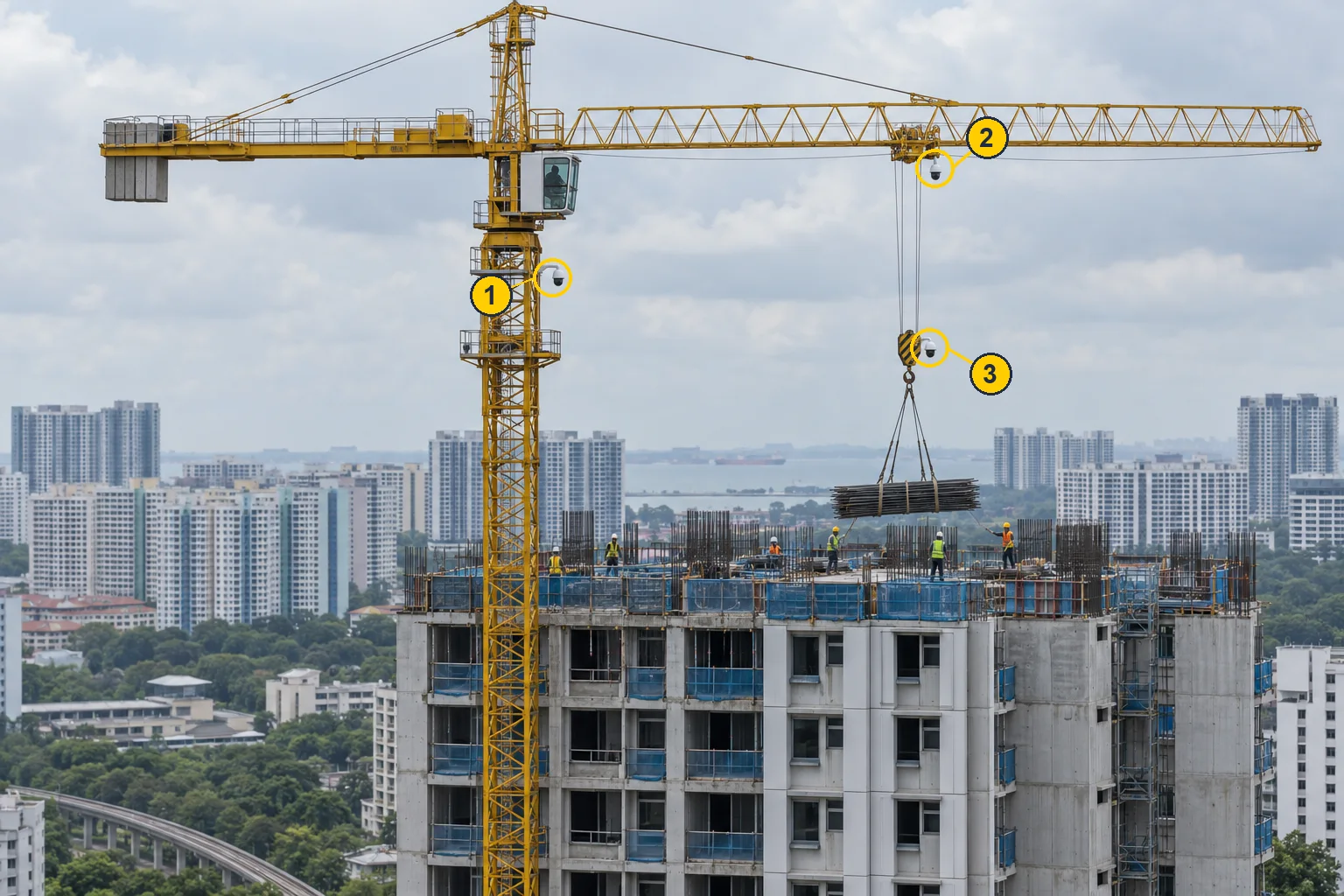
What each position sees
Each view covers a different part of the lift. Most sites start with the mast and add the trolley or hook block for heavy lifting.
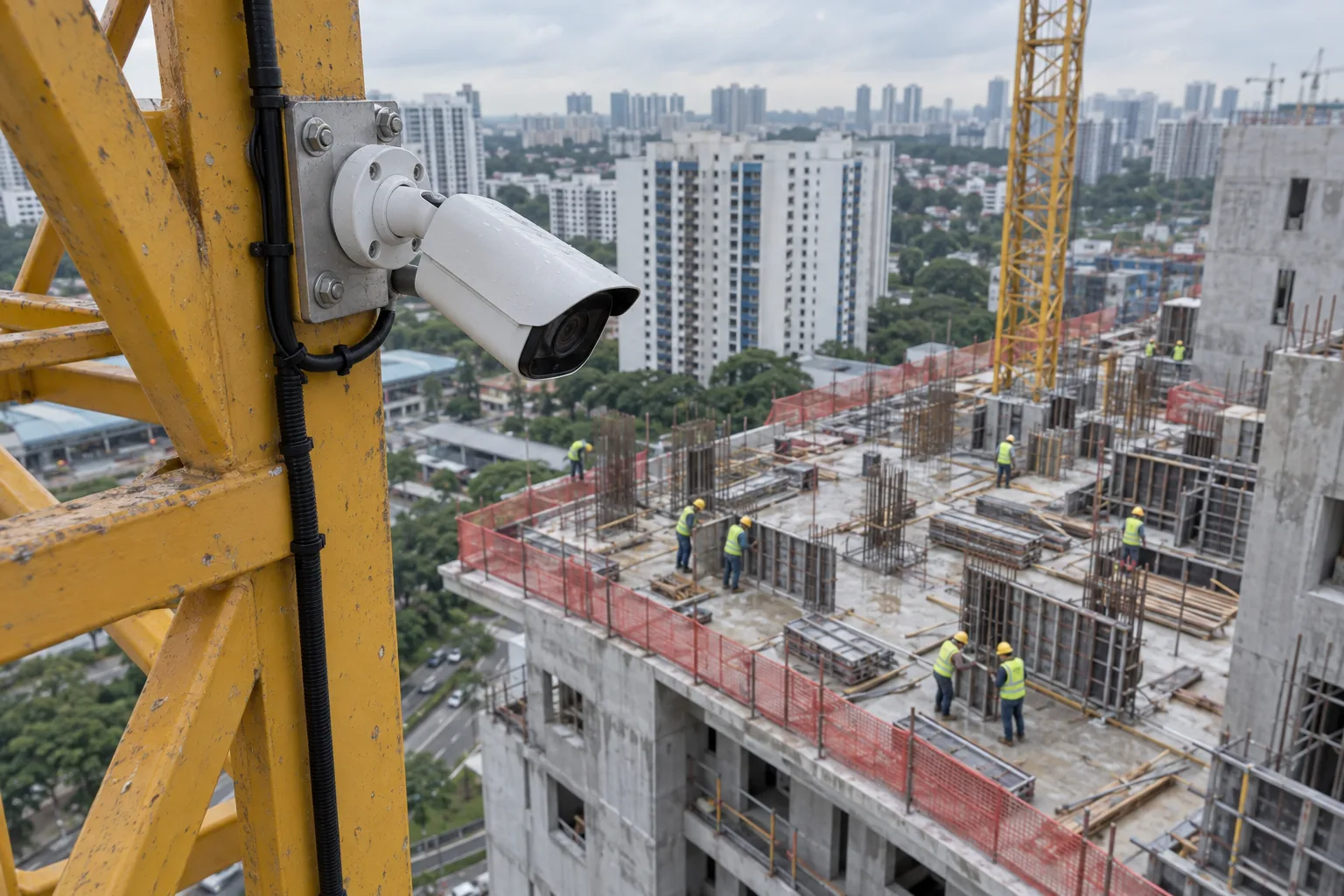
Mast camera
Watches the whole top slab from one fixed angle: slab edges, barrier mesh, PPE and who enters the lift zone.
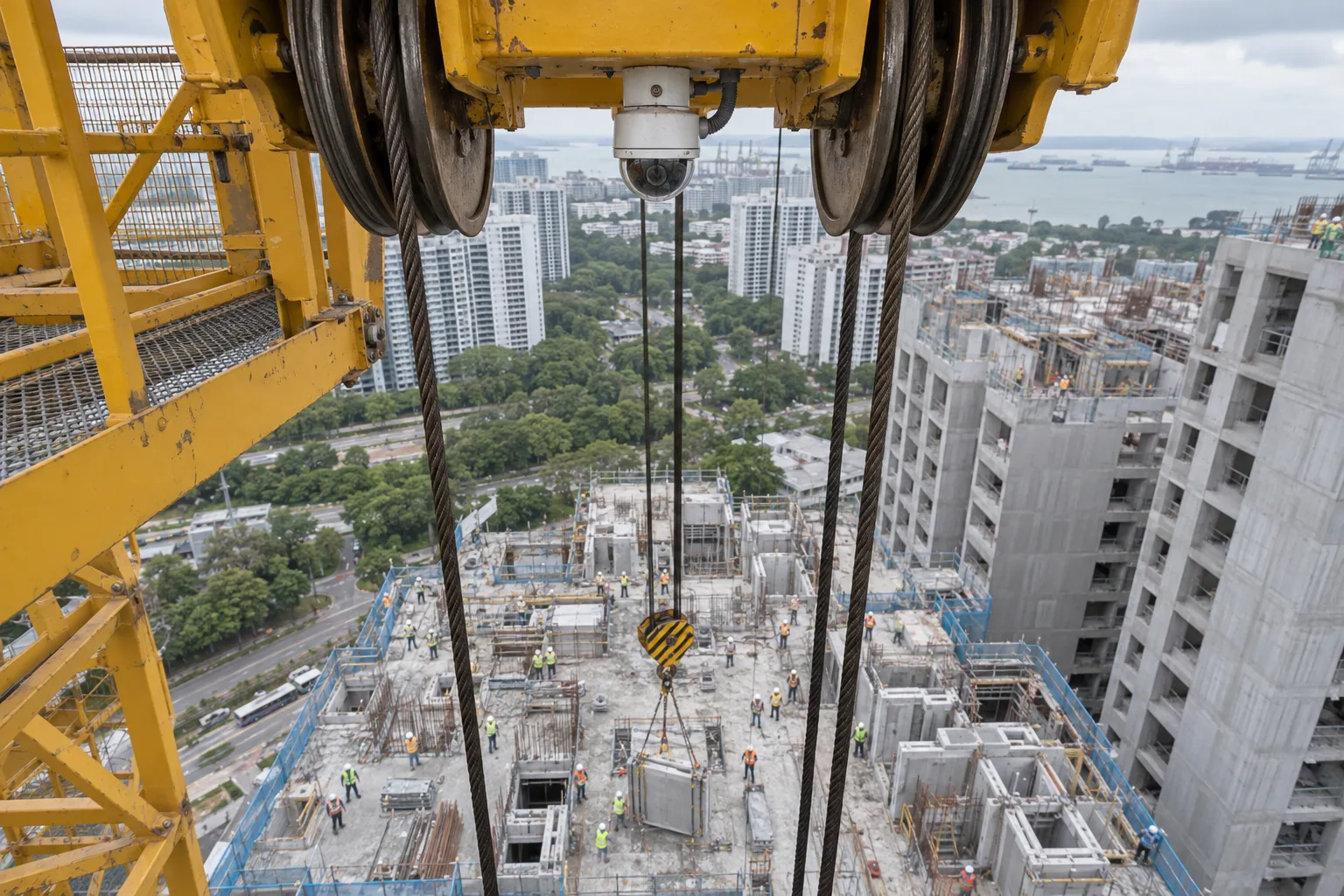
Trolley camera
Follows the lift from above as the jib slews, so the danger zone moves with the hook and the load.
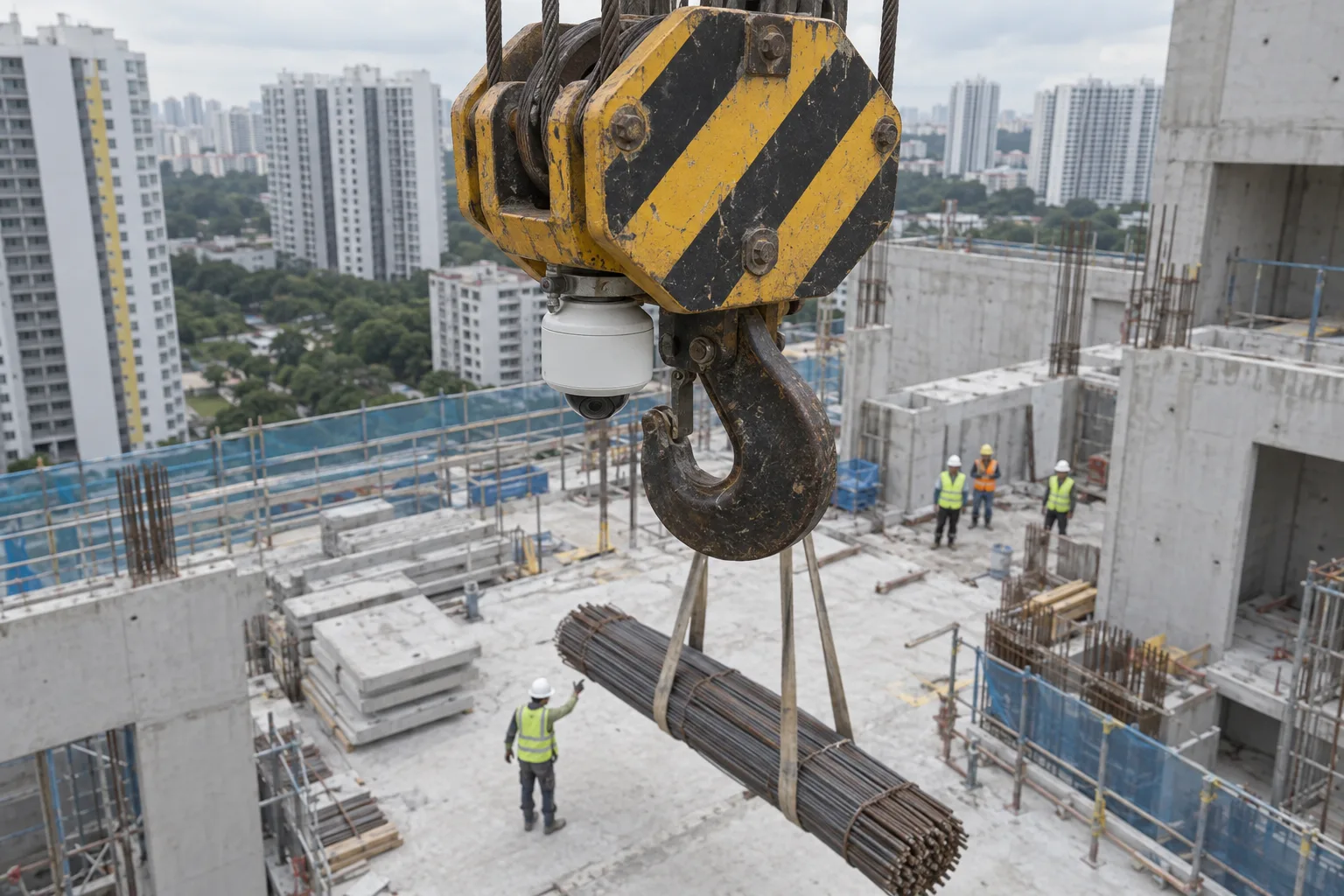
Hook block camera
Closest view of the landing point, where workers reach for the load and step under it.
What it detects from the crane
Crane views run the detections below, drawn from 45 risk types on the platform. Custom detections can be trained for your site.
Lifting
- Person under a suspended load
- Danger zone entry during a lift
- Worker count in the lift zone
Edges
- Person near an open edge
- Open edge or missing barrier
People and plant
- Proximity to machinery
- Helmet
- Hi-vis vest
Rules that fit the lift
- Zones drawn per camera
- Rules per shift and per lift
- Tuned on your own footage
From crane camera to closed action
Step 1
Positions planned with your lifting team
Mounts on the mast, trolley or hook block are agreed, and each view is reviewed before detection starts.
Step 2
Zones follow the work
Danger zones are set around the lift and the slab edges, and adjusted as the building climbs.
Step 3
Alert in about a second
The lifting supervisor and signalman get the frame, camera and time on WhatsApp, Microsoft Teams, Telegram or email.
Step 4
Closure checked on camera
Each finding becomes a task with an owner, and the same view confirms the fix.
What happens after a hazard is found
The detections change by site. What happens after a detection stays the same.
Step 1
The alert reaches a person
WhatsApp, Teams or email and the dashboard, in about a second, with the frame and time.
Step 2
It becomes a task with an owner
Raised against its zone and routed to whoever is responsible for that area on that shift.
Step 3
Overdue cases escalate
An action left open past the window your HSE team sets moves up on its own.
Step 4
The fix is checked on the same camera
The feed that raised the finding verifies closure, and the pattern feeds the next briefing.
Built for a site that climbs
First alerts arrive within 48 hours of connecting cameras. Every finding feeds the same safety intelligence brain that scores each zone and shift across the site.
Cameras and alerts
- Crane and site cameras togetherCrane views and ground CCTV run on one platform, so a lift and the area around it are seen together.
- Where your team worksWhatsApp, Microsoft Teams, Telegram, email and the dashboard, with escalation set per site.
- ReportsWeekly and monthly lifting and edge reports in PDF, Excel and Power BI.
Video and lifts
- Site server or cloudChosen site by site. With a site server, only events leave the site.
- Lifts tied to permitsA lift can be tied to a digital permit to work, so it starts only when the controls are seen in view.
- Free footage reviewSend two hours of recorded crane camera footage. We return it annotated.
Common questions
Where should cameras be mounted on a tower crane?
On the mast for a fixed view over the top slab and its edges, under the trolley for a view down the hoist ropes, and on the hook block for the landing point. Most sites start with the mast and add the trolley or hook block for heavy lifting.
Can it use the crane cameras we already have?
If the crane already carries an IP camera over RTSP or ONVIF, it connects. A camera that only feeds the operator's cab monitor may need an encoder or a separate IP camera. We check this in the camera review before anything starts.
Does the view move as the crane slews?
Trolley and hook block views move with the lift, and the danger zone is drawn around the load so the alert follows it. Mast views stay fixed on the slab, which suits edges and barriers.
Does it replace the anti-collision system or the signalman?
No. Anti-collision devices and load limiters control the crane itself. Invigilo watches the people and conditions around the lift and alerts the lifting supervisor and signalman.
How fast are alerts?
About a second from detection to the alert reaching WhatsApp, Microsoft Teams, Telegram or email, so the signalman can hold the lift while the worker is still in the zone.
How long does setup take?
First alerts arrive within 48 hours of connecting cameras. Zones are then tuned with your lifting team on site. Before any pilot, send two hours of recorded crane footage and we return it annotated.
Talk to our team
Questions, pricing, a pilot, or a free footage review on your own cameras. Tell us what you need and we come back with next steps.