How To Monitor Missing Barricades On Construction Sites Remotely
AI video analytics on existing CCTV detects missing barricades on construction sites in real time and alerts supervisors before someone gets hurt.

How To Monitor Missing Barricades On Construction Sites Remotely
If you are searching for how to monitor missing barricades on construction sites remotely, you are likely dealing with a simple problem: barricades get moved or removed during work, and they are not restored fast enough. The exposure is not measured in days. It can be minutes to hours, which is why remote monitoring matters.
The goal is simple: spot the gap quickly, alert the right person, and confirm it is fixed. Invigilo SafeKey is designed for this style of monitoring using existing CCTV, with real-time alerts and a dashboard that helps you review hotspots and trends over time.
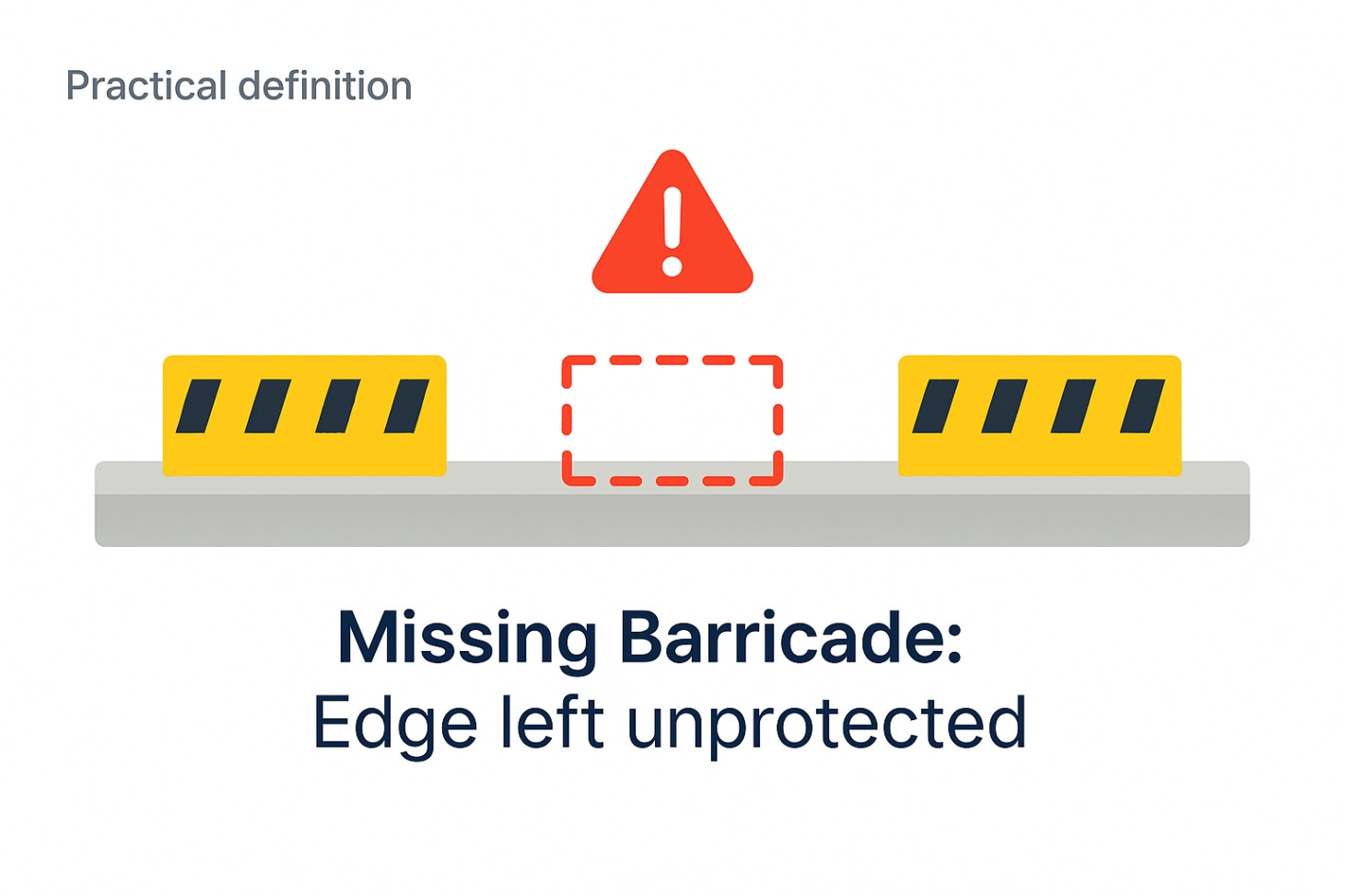
When A Barricade Is Considered “Missing”
A missing barricade is not a tidy housekeeping issue. It is a control that is supposed to prevent a fall, block access, or protect a drop zone, but it is not there when it should be.
Keep your definition practical. On most sites, “missing barricade” usually means:
- A guardrail or barrier is removed at an edge, and the edge is left open
- A temporary barrier around a floor opening or shaft edge is moved away
- Barricades meant to block access to a restricted area are left open
Do not overcomplicate this section. A reader should finish it and say, “Yes, I know exactly what we mean on our project.”
If you would like a broader refresher on work-at-height controls and why edge protection matters, check out Invigilo’s work-at-height article.
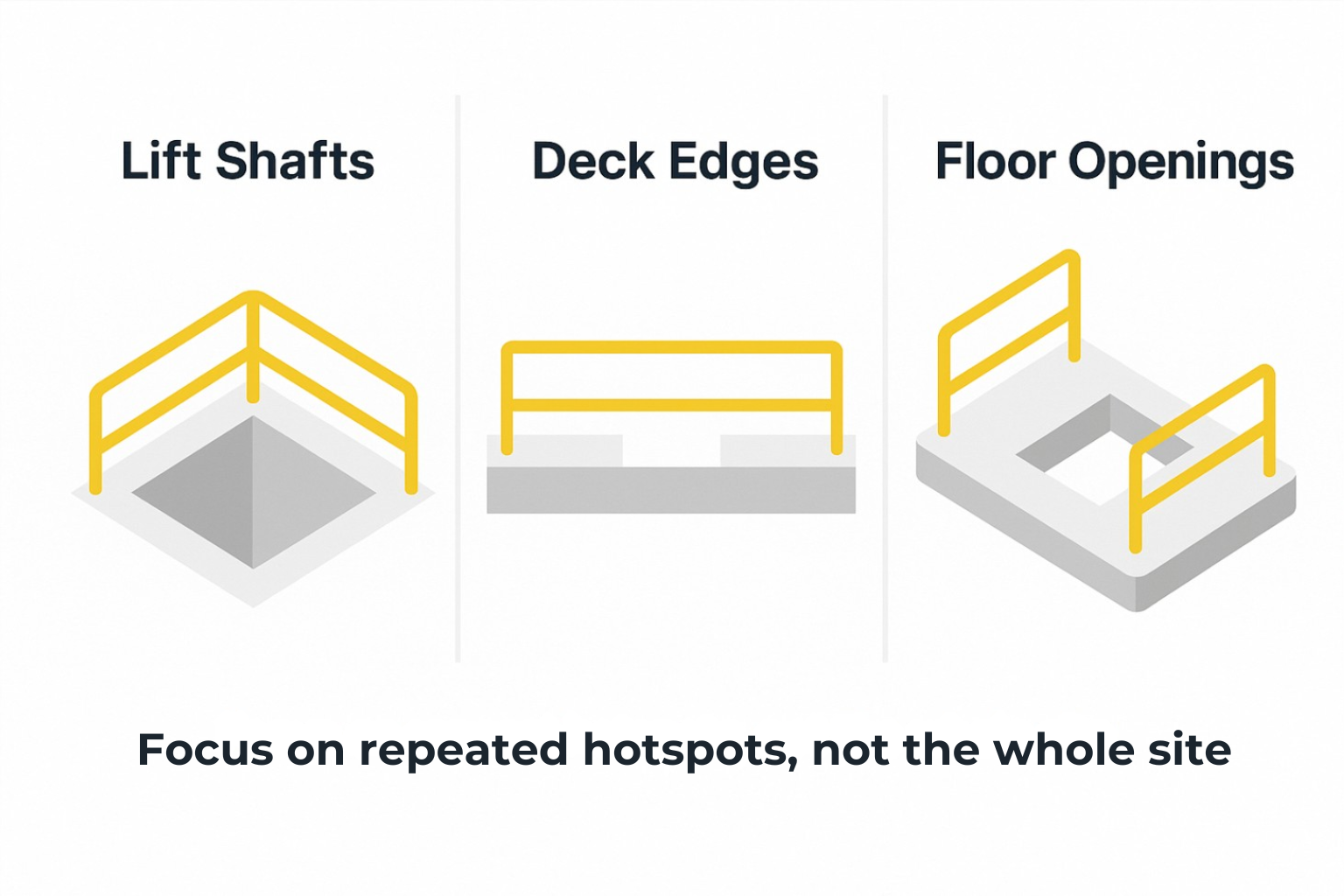
Where Do Missing Barricades Happen Most
Remote monitoring works best when you focus on repeat hotspots, not the whole site. Most projects see barricade gaps most often in places where conditions change fast and multiple trades overlap.
The common repeat areas are:
- Lift shafts and stair cores
- Deck edges and leading edges
- Floor openings created during staging or shifting access routes
This is why “monitor everything” usually fails. It creates alert noise and drains attention. A short list of high-risk locations creates a clear system that supervisors can actually run.
How To Use Existing CCTV To Spot Missing Barricades
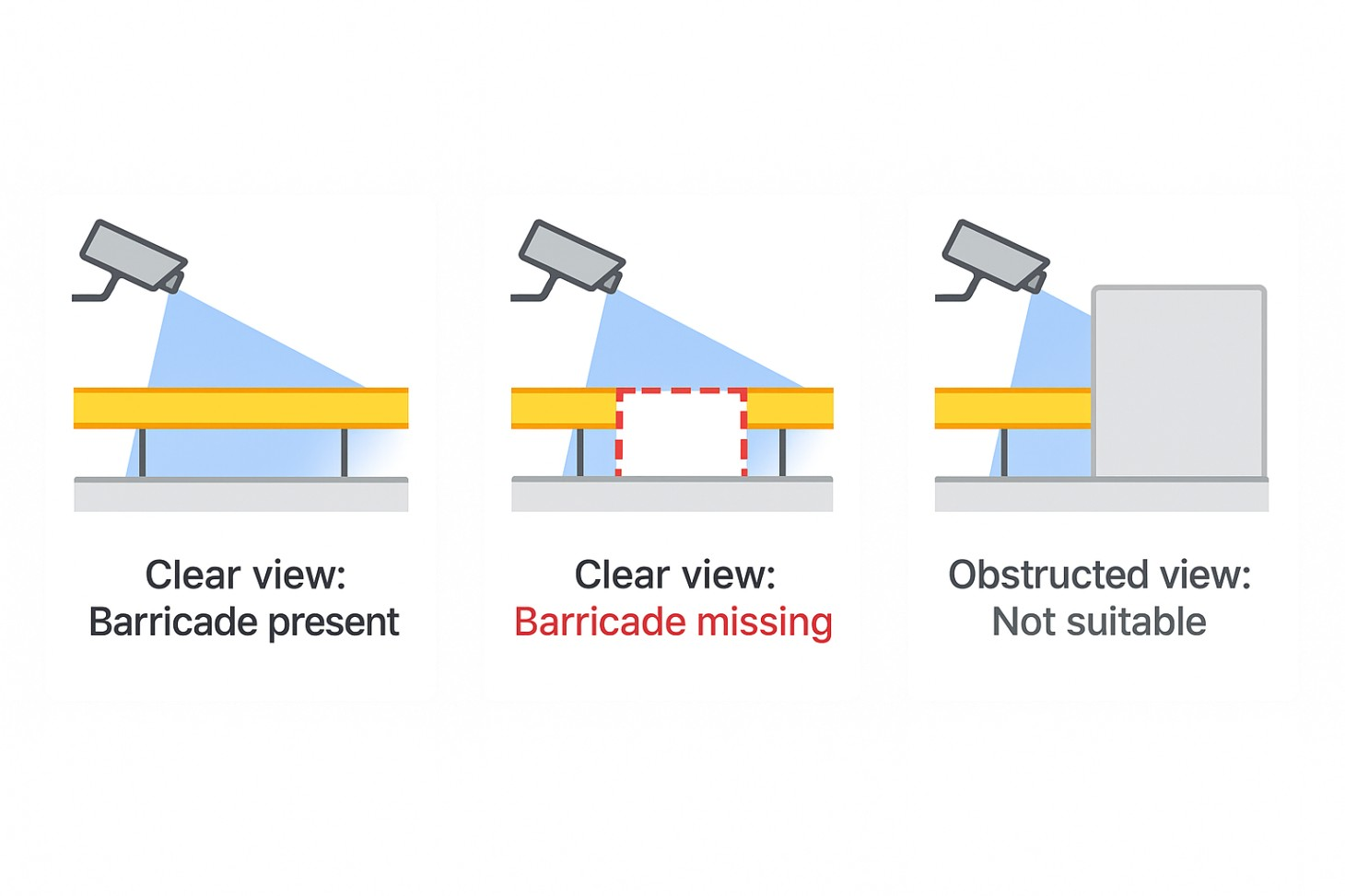
Start with the cameras you already have. The key is not the number of cameras. It is whether the camera view can clearly show the barrier line.
A simple camera pass or fail check is usually enough.
A camera view is a good fit when:
- You can clearly see the edge or opening where the barricade should be
- The barricade line is not constantly blocked by materials, equipment, or traffic
- The view is stable enough to tell the difference between “barricade present” and “barricade missing”
A camera view is a poor fit when it only shows the area from far away, or the barricade line is almost always hidden.
This step aligns well with how Invigilo positions SafeKey, which is built to work with pre-installed camera systems rather than forcing you to rebuild your setup from scratch.
If you want a quick sense of whether your current camera views are suitable, start by reviewing the SafeKey detections list on Invigilo’s product page and match it to your two highest-risk barricade hotspots.
How Invigilo Safekey Flags Missing Barricades And Sends Alerts
Invigilo lists “Missing barricades” as a hazard type that its AI can detect.
For a site team, detection only matters if the response is fast and clear. Invigilo describes real-time notifications through WhatsApp, Microsoft Teams, or SMS, plus a central dashboard where events are logged with useful details such as camera, zone, and classification.
What this looks like in real life is simple:
- A barricade is removed at a lift shaft edge for access and is not reinstated.
- SafeKey detects the missing barricade and sends an alert to the supervisor group that owns that zone.
- The supervisor checks the alert, uses the replay or context in the dashboard to confirm the issue, and contacts the foreman to restore the barricade.
- The team confirms it is back in place and closes out the action in their normal workflow.
Invigilo SafeKey also describes exporting heatmaps, analytics, and compliance trends across sites, which is useful for weekly reviews where you want to stop repeat gaps rather than fixing the same thing again and again.
If you are interested in the broader angle of how video analytics supports safety reporting and trend reviews, you can read Invigilo’s guide on tracking safety violations with video analytics.
How To Reduce False Alerts And Keep Trust
The biggest reason remote monitoring programmes stall is not the cameras. It is trust. If alerts feel random, people stop acting quickly.
Three simple practices keep alerts usable.
Name zones in plain language.
Use names that match how the site is managed, such as “Lift shaft L3 edge” or “Deck edge near hoist landing”.
Give each zone a clear owner.
If an alert goes to ten people, it often becomes nobody’s job. Route each zone to the supervisor or role who is expected to act.
Define close-out in one sentence.
For example: “Close-out means the barricade is reinstated and confirmed by a supervisor.” The point is that every alert has an end, not just a notification.
You can also reduce alert noise by starting small. Monitor just a few high-risk zones first, then add more only after the team is responding consistently.
If you want a practical reference for how to scale monitoring without overwhelming supervisors, you can check out Invigilo’s blog guides on alert tuning, dashboards, and using heatmaps to review hotspots week by week.
A 30-day pilot plan you can run
A short pilot is the fastest way to prove whether remote monitoring will reduce exposure time for missing barricades.
Week 1: Pick two to three hotspots and check camera fit
Choose the highest-risk areas first, usually shafts, edges, and openings. Confirm that the camera view can actually show the barrier line.
Week 2: Switch on alerts and set ownership
Send alerts to the people who can act quickly. Confirm what the message should contain and who is in each group. Invigilo describes routing alerts through WhatsApp, Teams, or SMS so supervisors do not need to switch tools to respond.
Weeks 3 and 4: Review weekly and remove repeat causes
Use heatmaps and trend views to find repeat locations. Make one improvement per hotspot, then check whether the alerts drop the next week. Invigilo describes downloading heatmaps, analytics, and compliance trends as part of its dashboard outputs, which fit this review loop.
Keep your pilot metrics simple:
- Time to detect
- Time to fix
- Repeat gaps by location
Those three metrics tell you whether you are closing the gap faster and whether your fixes are sticking.
If you are considering a pilot, start with two or three barricade hotspots on your site and keep the scope tight. If you want a practical reference for how teams structure these rollouts, you can also browse Invigilo’s guides and adapt the approach to your project.
How To Stop Repeat Barricade Gaps
Once you have a few weeks of data, the objective changes. You are no longer just catching lapses. You are finding patterns.
If one shaft edge appears in alerts every week, treat it as a system issue:
- Is the barrier type too easy to remove and not replace?
- Is there a handover gap between trades?
- Is the hazard boundary unclear when the layout changes?
Heatmaps and repeat locations help you focus on fixes that prevent the same exposure from returning.
Next steps
Remote monitoring works when it is run as a simple loop: clear camera views, clear rules, fast alerts, and clear close-out. Start small, prove it works, then expand.
If you want to reduce the time a missing barricade stays open on your site, contact Invigilo to ask about SafeKey’s missing-barricade detection workflow, alert routing options, and the full detections list on their product page. Even if you are early in evaluation, a short discussion about your camera views and two priority zones can clarify what is realistic and what to pilot first.
Related posts
Underground Changes Every Safety Rule You Know
Singapore's Cross Island Line runs 70m below ground. Underground construction inverts work at height, plant proximity and lone worker risk. Here is how.

Why Australian Industrial Sites Stopped Buying CCTV AI
Australian HSE leaders aren't buying video analytics anymore. They're buying safety intelligence. Here's what the shift means for WHS in 2026.

What to Demand from AI Video Analytics on an Oil and Gas Site in Saudi Arabia
AI safety platforms built for general workplaces are being sold into Saudi oil and gas operations. Here are the 8 questions that reveal the difference.