How to Automate Safety Incident Reporting in Industrial Facilities
AI analytics on existing CCTV detects and logs safety incidents automatically in real time, for faster response and safety data you can act on.

How to Automate Safety Incident Reporting in Industrial Facilities
Safety incident reporting is one of those processes everyone agrees is important, yet few teams feel it works well in practice. Reports are often late, incomplete, or inconsistent. Near-misses go unrecorded. By the time patterns appear, the opportunity to prevent the next incident has already passed.
For industrial facilities operating across large sites or multiple locations, this is not a minor inefficiency. It directly affects response speed, safety culture, and how well risks are controlled.
Automating safety incident reporting helps close this gap. Instead of relying on people to notice, remember, and report issues, incidents are captured as they happen using systems already present on site. This article explains what automated incident reporting really means, how it works using existing CCTV, and how teams can implement it in a practical, low-disruption way.
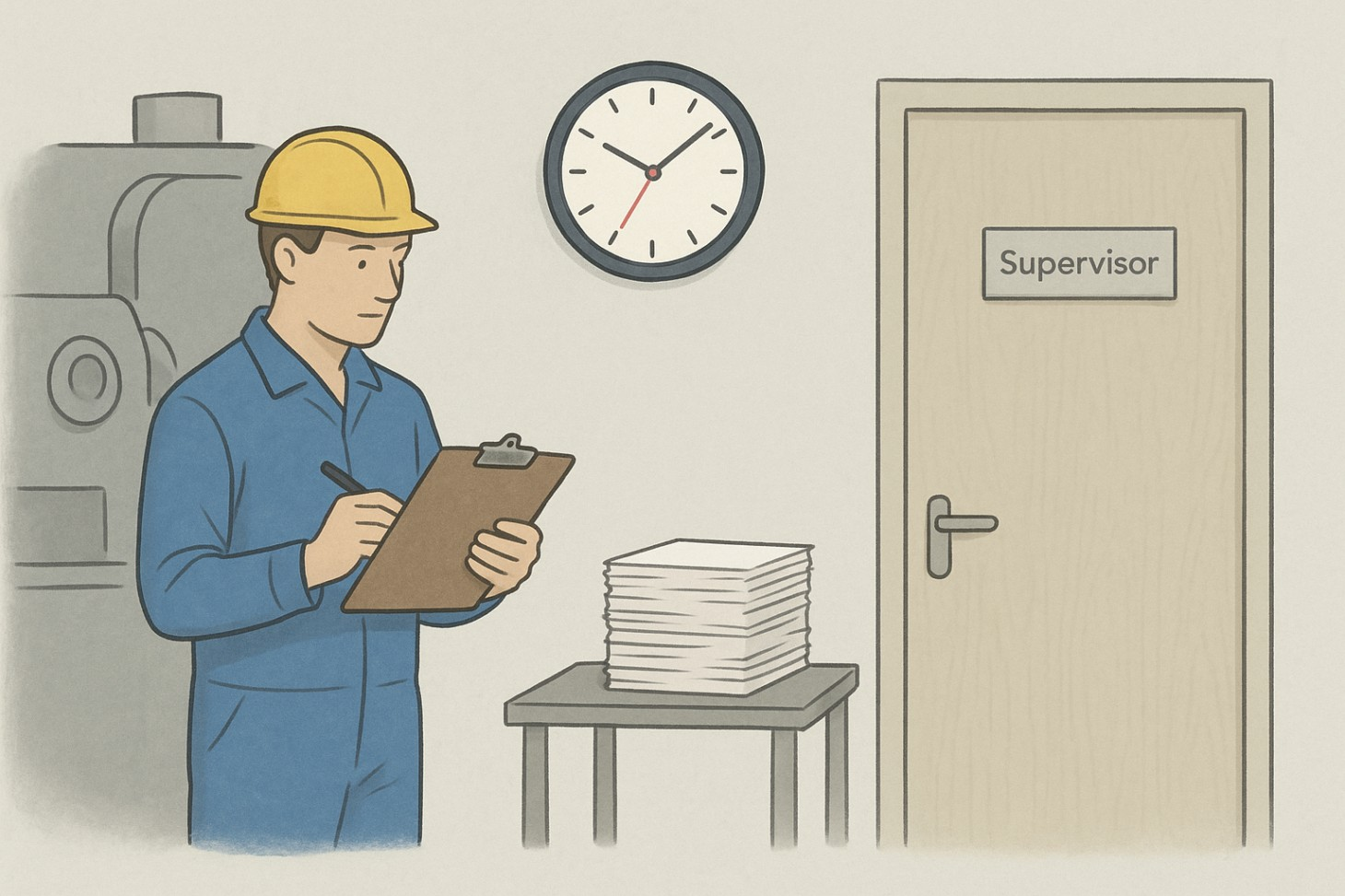
Why Safety Incident Reporting Still Takes Too Long On Industrial Sites
Most industrial sites already have reporting procedures. There are forms, reporting rules, and escalation paths. The problem is not intent. It is execution.
Reporting depends heavily on human behaviour. A worker has to notice something unsafe, decide it is worth reporting, and find time to write it down. In busy environments, this often does not happen, especially for near-misses or routine unsafe behaviours.
Supervisors face physical limits. Large facilities change constantly, with work happening across many zones at the same time. Even experienced supervisors cannot see everything, especially during peak operations or off-hours.
When incidents are reported, they are often written after the fact. Details are missing, timings are unclear, and there is little evidence. This makes reports harder to act on and less useful for learning.
As a result, safety data reflects only a portion of what actually happens on site.
What Automated Safety Incident Reporting Actually Means
Automated safety incident reporting is not just about digital forms. That still relies on people to do the reporting.
True automation starts earlier, at the point of detection.
In practical terms, automated reporting means:
- Safety events are detected without waiting for someone to report them
- Incidents are captured at the moment they occur
- Key details are logged consistently across shifts and sites
- Reporting becomes part of daily operations, not an extra task
This shifts incident reporting from a reactive process to a continuous one.
How Existing CCTVs Enable Automated Safety Incident Reporting
Most industrial facilities already use CCTV for security and basic oversight. These cameras also capture everyday work, movement, and behaviour across the site.
Invigilo uses this existing camera infrastructure to automate safety incident reporting. AI video analytics are applied to live video feeds to detect predefined safety risks in real time.
The workflow is simple and practical:
- Cameras monitor defined areas and risk conditions
- AI models detect safety events as they happen
- Supervisors receive real-time alerts through familiar channels
- Events are logged automatically with time, location, and context
- All incidents are stored in a central dashboard for review
This means incident records are created without manual input, and awareness happens immediately rather than after a shift ends.
If you want more detail on how AI video analytics works with existing cameras, read more on the Invigilo blog.

Which Safety Incidents Are Best To Automate First
Automation works best when it starts with repeatable, observable events. Trying to automate everything at once usually creates noise.
In most industrial facilities, the easiest incidents to automate first include:
PPE non-compliance
Missing or incorrect protective equipment is common and clearly defined. Early detection helps prevent escalation.
Restricted or hazardous zone entry
Unauthorised access to high-risk areas is a frequent source of incidents. Automated capture ensures consistency.
Unsafe proximity between people and moving equipment
These interactions are high risk and often missed in manual reporting.
Repeated unsafe behaviour in known hotspots
Some zones experience the same issues repeatedly. Automation makes these patterns visible.
Starting here builds confidence in the system and delivers quick operational value.
For examples of the safety risks that can be detected and logged, read more on the Invigilo website.
How Detected Events Become Report-Ready Incident Records
Detection alone is not enough. For automated reporting to work, incidents must be recorded in a way that teams can use.
A report-ready automated incident record should include:
- Time of the event
- Location or zone
- Type of safety risk
- Visual context showing what happened
This consistency removes guesswork and reduces disagreement about what occurred. It also makes incidents easier to review, compare, and analyse over time.
Instead of chasing missing details, safety teams work with structured information that supports learning and action.
If you are building a consistent reporting format across sites, you can find more guidance on the Invigilo blog.
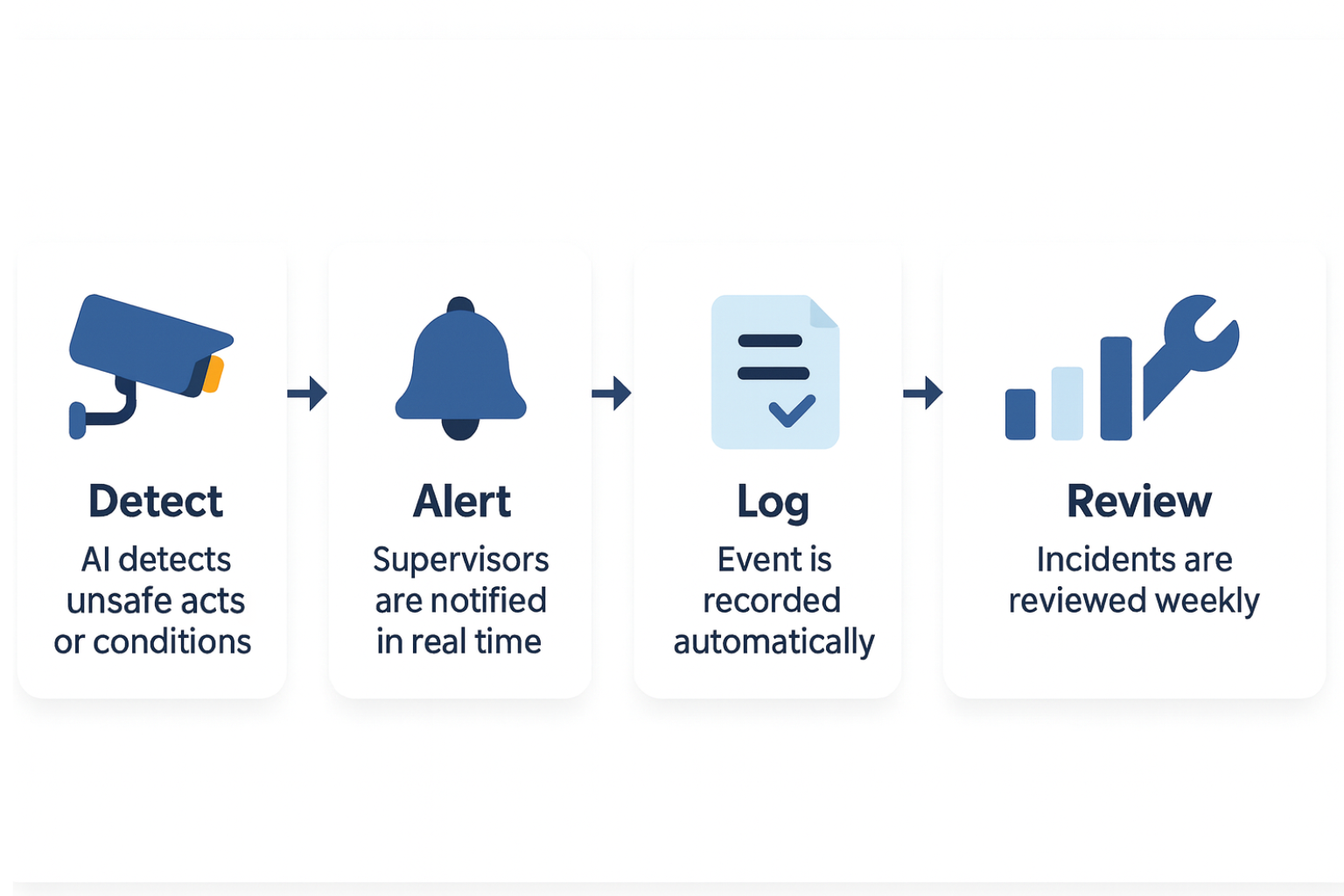
A simple incident reporting automation workflow
A useful way to think about automated incident reporting is a five-step loop:
Detect
AI identifies unsafe acts or conditions in real time.
Alert
Supervisors are notified immediately so they can respond.
Log
The event is recorded automatically with consistent details.
Review
Teams review incidents weekly to identify patterns.
Fix
Corrective actions are applied to layouts, processes, or training.
This loop keeps reporting tightly connected to prevention.
How To Roll Out Automated Incident Reporting In The First 30 Days
Automation does not need a big-bang rollout. A phased approach works better.
Week 1
Define what counts as a reportable event and select one or two high-risk zones.
Week 2
Activate detection and tune alerts to avoid unnecessary noise.
Week 3
Review logged incidents and validate accuracy with site teams.
Week 4
Standardise how incidents are reviewed and discussed weekly.
This approach builds trust and avoids disruption.
For rollout tips and pilot ideas from real deployments, read more on the Invigilo blog.
What To Look For When Choosing An Automation Solution
When evaluating solutions, focus on practical fit rather than feature lists.
Ask:
- Does it work with existing cameras?
- Does it provide real-time alerts?
- Does it centralise all incidents in one view?
- Can it scale across multiple sites?
Invigilo SafeKey is designed around these operational realities, making it easier to adopt in live industrial environments.
What Improves Once Incident Reporting Is Automated
Once automated reporting is in place, several changes become clear.
Safety teams gain faster visibility into site risks. Near-misses that were previously invisible appear consistently. Supervisors spend less time chasing reports and more time addressing real issues.
Operations leaders see patterns instead of isolated incidents. This supports better decisions about layout changes, process improvements, and training.
Over time, incident reporting becomes a practical safety tool rather than a compliance exercise.
For more examples of how teams use AI to improve site safety, you can explore related articles on the Invigilo blog.
From Reporting To Prevention
Automating safety incident reporting is not just about efficiency. It changes how safety is managed.
When incidents are captured automatically, teams work with timely, reliable information. This makes early intervention possible and reduces repeat risks.
Existing CCTV becomes an active safety asset rather than a passive recording tool.
If you are comparing approaches to continuous safety monitoring versus manual patrols, you can find related articles on the Invigilo blog.
Ready To Automate Safety Incident Reporting On Your Sites?
If your teams still rely on manual reports and delayed incident data, it may be time to rethink how safety information is captured.
Invigilo helps industrial facilities automate safety incident reporting using AI video analytics on existing cameras, real-time alerts, and a central dashboard.
Visit https://www.invigilo.ai/ to see how Invigilo Safekey works, or contact the team to discuss how automated incident reporting can be applied across your facilities.
Related posts

Underground Changes Every Safety Rule You Know
Singapore's Cross Island Line runs 70m below ground. Underground construction inverts work at height, plant proximity and lone worker risk. Here is how.

Why Australian Industrial Sites Stopped Buying CCTV AI
Australian HSE leaders aren't buying video analytics anymore. They're buying safety intelligence. Here's what the shift means for WHS in 2026.

What to Demand from AI Video Analytics on an Oil and Gas Site in Saudi Arabia
AI safety platforms built for general workplaces are being sold into Saudi oil and gas operations. Here are the 8 questions that reveal the difference.